.png)
Duplicating a Source
If a rate or amount changes for an existing source, just edit it directly — no need to duplicate. Duplicating is for when something about the source itself changes that can't be edited after it's created — like your classification changing from 1099 to W-2 at the same company, or a shift in pay period or income type.
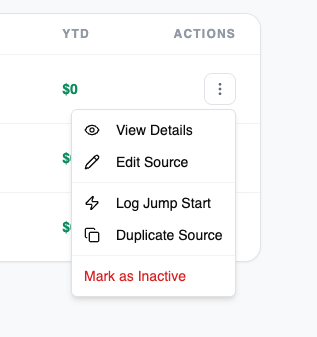
From Sources, click the three-dot menu on the source and select Duplicate. Flux creates a new source pre-filled with the same classification, income type, and rate details, so you're only changing what's different — update those fields, give it a new name if needed, and mark the old version inactive.