.png)
Editing or Removing an Income Source
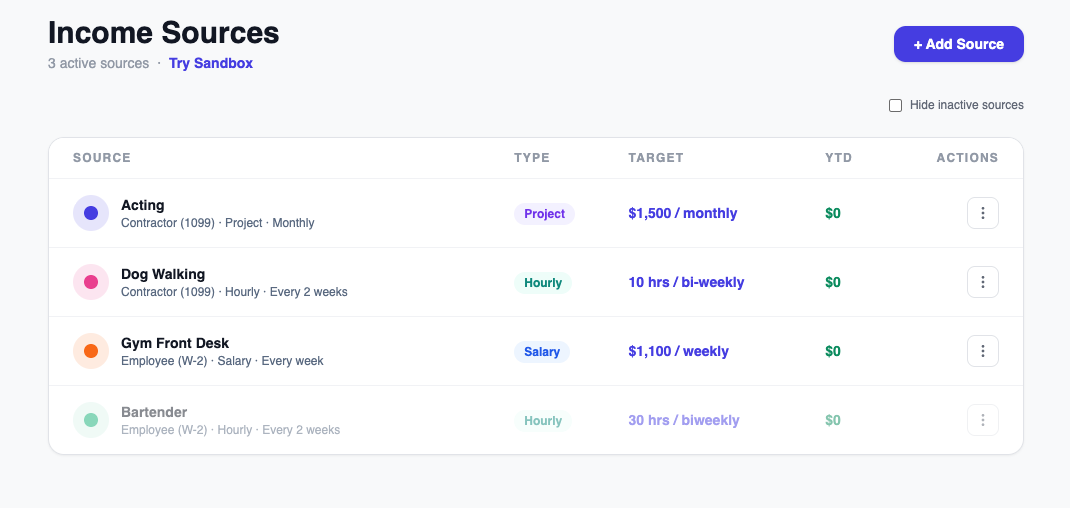
To make changes to an existing source, go to Sources, find the source, and click the three-dot menu next to it.
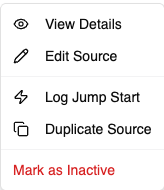
From there you can:
- Edit Source — update the name, rate, pay period, or any other settings.
- Duplicate — create a copy of the source as a starting point for a similar one.
- Generate Logs — back-fill historical entries for a salary source.
- Log Jump Start — add year-to-date income for this source.
- Mark Inactive — remove a source from your active list without deleting its history. Its past entries stay in your Reports, and you can reactivate it any time.
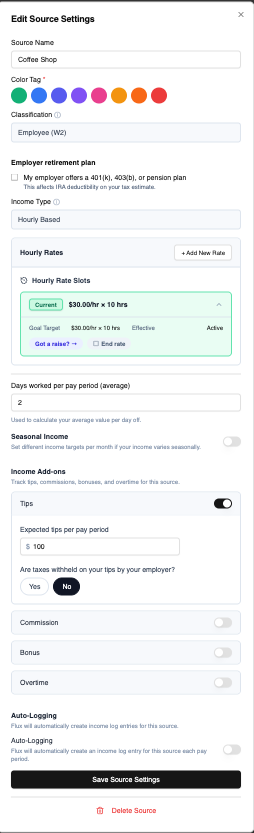
If you change a rate mid-period, Flux will flag that the change affects entries going forward, not past logged income.
Once you have any inactive sources, a "Hide inactive sources" checkbox appears above your sources list — check it to hide them entirely, or leave it unchecked to keep seeing them (they sort to the bottom of the list automatically either way).