.png)
Adding an Income Source
From the Sources page, click Add Source and walk through a few quick steps:
-
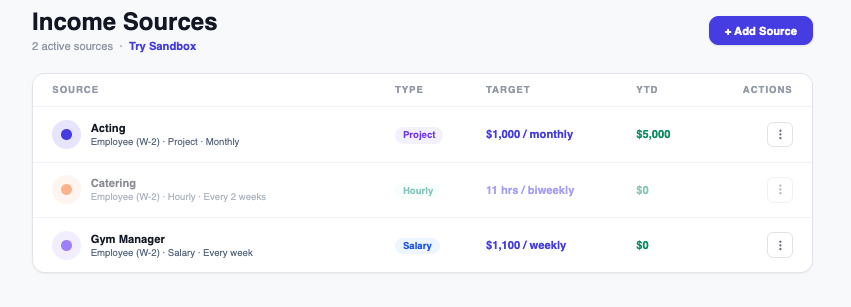
Name your source — e.g. "Barista Job" or "Freelance Design."
-
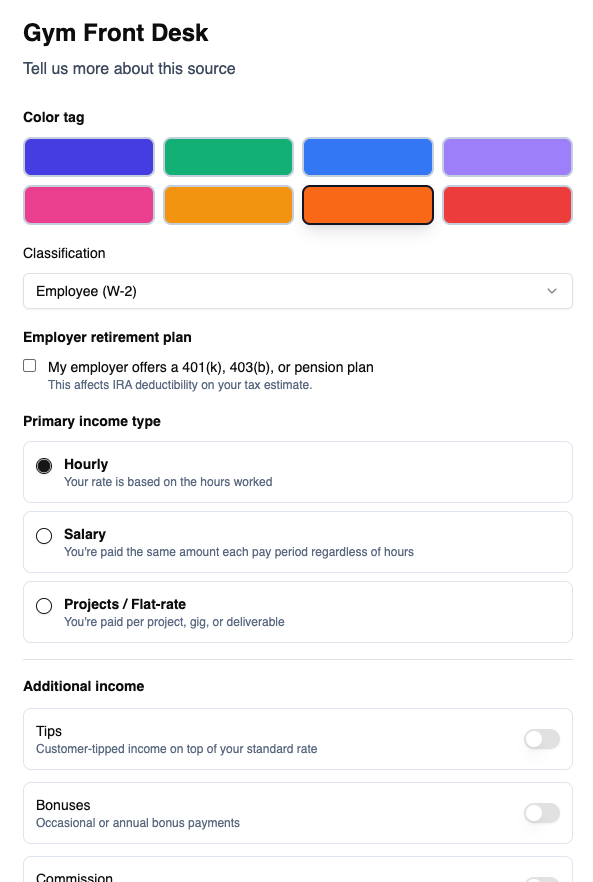
Choose your classification — Employee (W-2) or Independent Contractor / Self-Employed (1099). This determines whether Flux tracks tax withholding for that source.
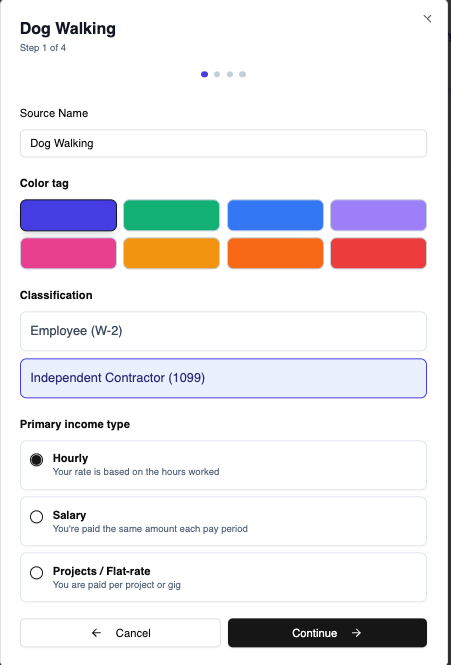
- Choose your income type — Hourly, Salary, or Projects / Contract Work.
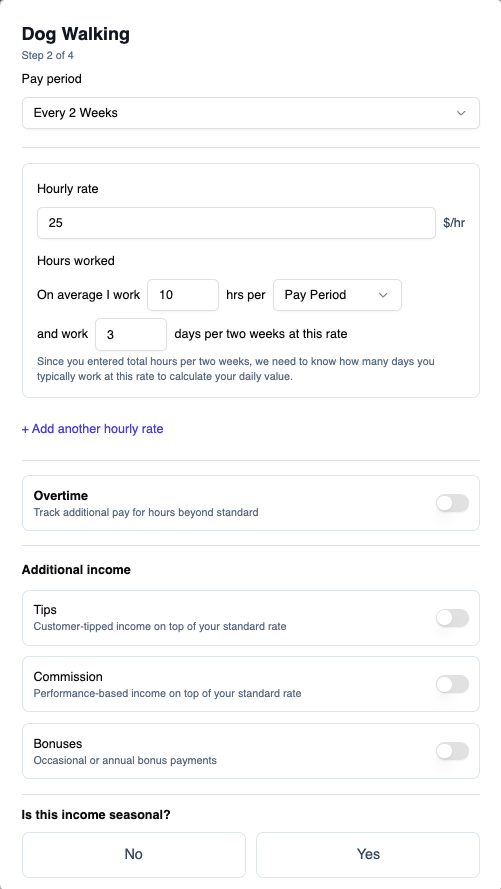
- Enter your rate details — pay period, rate or gross amount, and days worked per period. If you have overtime, tips, bonuses, or commission for this source, you can turn those on here too.
-
If this is an Employee (W-2) source, you'll also see an "Employer retirement plan" checkbox — "My employer offers a 401(k), 403(b), or pension plan." Check this if it applies. It doesn't change anything about this source itself, but it affects whether a Traditional IRA contribution you enter in your tax profile counts as tax-deductible in your estimate.
- Save.
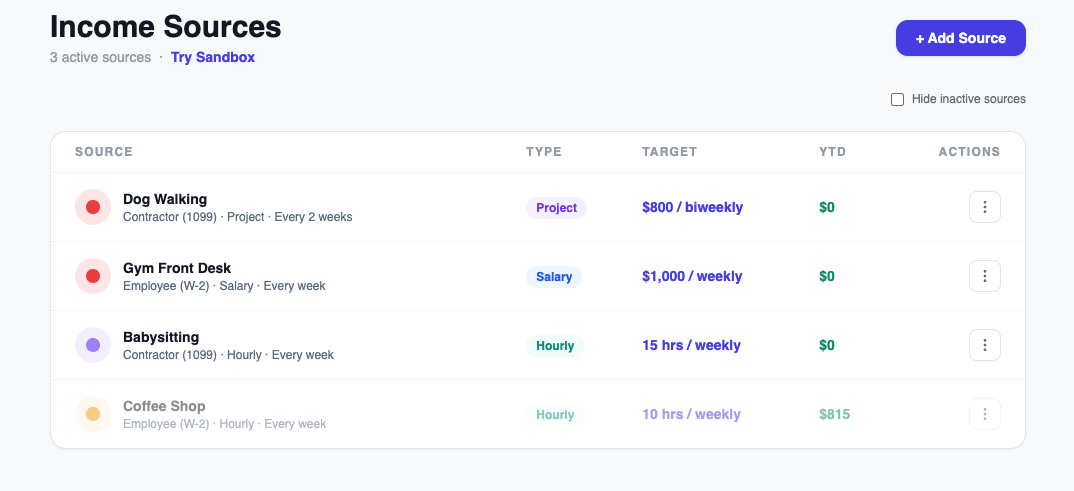
Your new source appears on the Sources page with a color-coded dot so it's easy to tell apart in charts and reports. Pro accounts can have as many active sources as you need — there's no cap.